Tampa Commercial Camera Planning

HD Camera Installation in Tampa: What Resolution Really Changes

HD camera installation is not just a choice between 1080p and 4K. The useful image depends on pixel density at the target distance, lens angle, lighting, mounting height, network bandwidth and recording retention. A lower-resolution camera aimed correctly can outperform a higher-resolution camera that is too wide, too high or poorly lit.

For Tampa offices, warehouses and managed buildings, HD camera planning should connect each view to a real review task: identifying a visitor, verifying a delivery, checking a dock event or understanding movement through a lobby.

Commercial-First PlanningCamera recommendations are shaped around business, property-management and facility workflows.
Connected Low-Voltage PlanningCameras, cabling, network equipment, access control and recording are considered together.
Florida Licensed ContractorElectrical contractor license identifier: EC13016138.
Tampa Bay Property ContextPlanning accounts for offices, retail, hospitality, warehouses, multifamily, HOAs and managed properties.
Documented System DeliveryThe final system should include clear labeling, tested camera views, user guidance and system documentation that authorized teams can understand.

CAMERA RESOLUTION

How Camera Resolution Changes Identification and Coverage

HD camera installation decisions should be based on the amount of usable detail needed at each doorway, counter, gate, dock or parking lane, not on resolution labels alone.

The practical goal is to help owners, managers, construction partners and facility teams make better decisions before equipment is selected, installed or expanded.

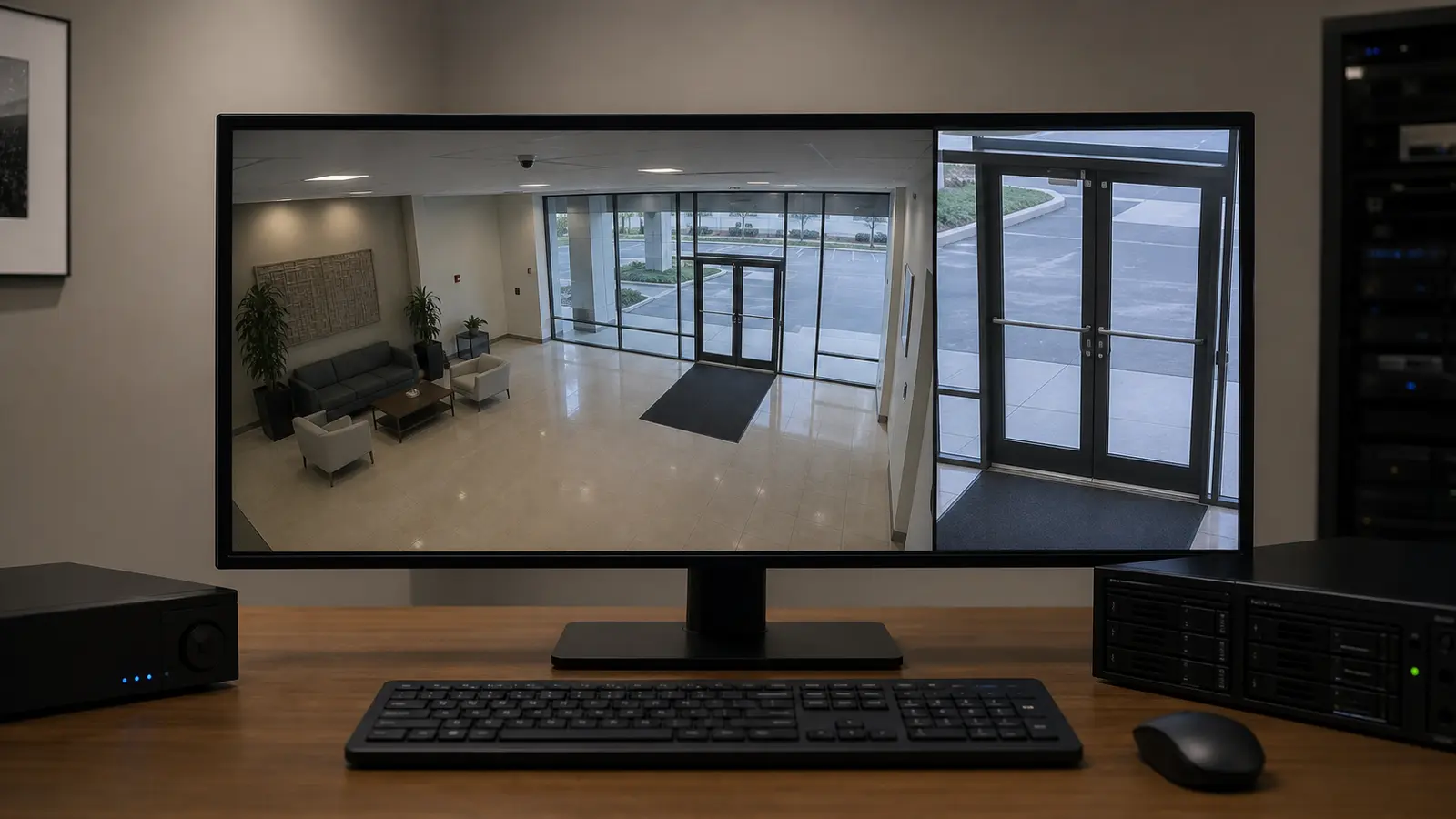
Commercial security monitor comparing overview detail with identification detail

PLANNING GUIDE

HD Camera Resolution Planning Points

HD Camera Resolution: Planning

Define the coverage purpose, review goals and property constraints before choosing devices.

HD Camera Resolution: Infrastructure Requirements

Confirm cabling, PoE, network, rack, UPS and storage requirements before installation.

HD Camera Resolution: Configuration Requirements

Tune views, permissions, retention and alerts around how authorized users will review video.

HD Camera Resolution: Lifecycle Planning

Document the system so future service, expansion and troubleshooting do not start from guesswork.

Tampa properties often mix compact interior views with longer exterior approaches. A downtown office lobby, Westshore loading area and Channelside parking entrance may all need different HD camera choices even when they are part of the same system.

In commercial buildings with finished ceilings and shared network rooms, camera resolution should be planned alongside cable routing, PoE capacity, recorder storage and remote viewing expectations.

For managed properties and multifamily communities, HD views are most useful when package rooms, garage entries, amenity doors and leasing-office entrances each have a defined review purpose.

PLANNING PRIORITIES

HD Camera Resolution Operational Recommendations

Match every HD camera to a named review need, such as face detail at a door, vehicle context at a garage entrance or overview of a lobby path.

Confirm storage impact before increasing resolution across the entire property.

HD Camera Resolution Detailed Planning Guide

HD Camera Resolution: Direct Answer

HD Camera Resolution: Key Definitions

An HD security camera is a camera that records high-definition video, commonly 1080p or higher. In commercial planning, the more important question is whether the camera produces enough detail at the doorway, counter, dock, gate or parking lane where the video will be reviewed.

HD Camera Resolution: How the System Works

The camera sensor captures a fixed number of pixels, the lens spreads those pixels across a scene, the encoder compresses the stream, and the recorder stores it for review. Wider scenes spread detail thinner. Narrower scenes preserve detail but cover less area.

HD Camera Resolution: Core Components

camera resolution and sensor size

lens focal length and field of view

mounting height and angle

PoE switching and cabling

NVR or VMS storage

lighting and WDR settings

HD Camera Resolution: Planning Criteria

Match resolution to the required detail at each doorway, register, dock or parking lane.

Avoid using one very wide 4K camera where two narrower cameras would preserve better usable detail.

Confirm upload bandwidth if remote viewing is important for management teams.

Set retention targets before selecting bit rate, frame rate and storage size.

HD Camera Resolution: Commercial Examples

A Channelside office lobby may need a narrower HD view at the reception desk and a separate wide overview of visitor flow.

A Westshore warehouse may use higher-resolution cameras at dock doors while keeping general aisle views at lower bit rates.

A managed multifamily property may need HD coverage at package rooms, elevators and garage entrances without treating every hallway as the same scene.

HD Camera Resolution: Advantages and Limitations

Advantages:

clearer review when resolution matches distance

better digital zoom after an incident

more flexibility for entrances and transaction areas

Limitations:

higher storage and bandwidth demand

limited value when lighting or angle is wrong

wide-angle views can lose identification detail

HD Camera Resolution: Common Mistakes

buying 4K cameras for every location without calculating field of view

mounting cameras too high for face-level detail

forgetting that night lighting changes usable image quality

HD Camera Resolution: Infrastructure Dependencies

Cat6 or fiber pathways

PoE switch capacity

NVR/VMS storage sizing

lighting and glare control

rack space and UPS support

HD Camera Resolution: Decision Checklist

What exact detail must be seen at each location?

How far is the camera from the target?

Will the view be used for live monitoring, incident review or both?

What retention period is required?

Can the network support the selected stream settings?

HD Camera Resolution: When to Request a Site Review

Request a site review when resolution, lens width, mounting height, lighting or storage choices could change whether footage is useful. HD camera planning is especially worth reviewing before replacing older cameras across a property or before construction closes ceiling access.
PROCESS

HD Camera Resolution Project Process

Define the video purpose for each scene

Every scene is assigned a clear review goal, such as overview, recognition, identification, or transaction detail.

Measure distance, mounting height and viewing angle

Measurements of target distance, mounting height, and angle determine how many pixels can be placed on the area of interest.

Select resolution and lens width by detail requirement

Resolution and lens width are selected from the required detail rather than from a camera specification in isolation.

Confirm cabling, PoE, storage and remote access needs

The design verifies cable routes, PoE budget, recorder storage, bandwidth, and authorized remote-access needs before installation.

Test the image in daytime and nighttime conditions before final acceptance

Day and night samples are reviewed against the original scene goal before the view is accepted and documented.

FAQ

HD Camera Resolution FAQs

Is 4K always better than 1080p for security cameras?

No. 4K can help when the lens and distance match the target, but it also increases storage and bandwidth. A focused 1080p or 4 MP view can be more useful than a very wide 4K scene.

What makes an HD camera image useful after an incident?

Useful footage shows the needed detail at the right distance, under real lighting, without excessive blur, glare or compression. Resolution is only one part of that result.

How many HD cameras does a Tampa business need?

The count depends on entrances, parking, customer areas, employee-only areas, loading zones, cash handling points and review goals. A site review is the cleanest way to avoid blind spots and overbuying.

Do HD cameras require new cabling?

Many HD IP cameras use Cat6 cabling with PoE. Existing cabling should be tested before reuse because damaged, unlabeled or older cable can limit performance.

Can HD cameras support remote viewing?

Yes, when the recorder, network and permissions are configured correctly. Remote viewing should be planned with user roles, mobile access and bandwidth in mind.

Will higher resolution improve night images?

Only partly. Night performance also depends on sensor quality, infrared or white-light strategy, exposure settings, scene contrast and nearby glare.

Should every camera use the same resolution?

Usually not. Entrances, registers, gates and docks often need more detail than general overview areas, so mixed resolution can be more efficient.

What is pixel density in a camera plan?

Pixel density describes how many pixels cover a target area. It helps connect resolution and lens choice to the actual detail available at a distance.

Can HD cameras read license plates?

Sometimes, but license plate capture usually requires a dedicated view, proper angle, shutter settings and lighting. A general parking-lot camera should not be assumed to capture plates.

When should we request a site review?

Request a site review before choosing cameras when distance, lighting, mounting locations, storage needs or network capacity are uncertain.

NEXT STEP

Request a Site Review for HD Camera Resolution

A focused HD camera plan helps Tampa properties spend resolution where it improves review quality instead of treating every view the same.

Request a Site Review