Commercial Security Camera Planning

Hospital Security Camera Planning Near Tampa

Hospital camera planning near Tampa requires clear coverage goals, careful placement around public and restricted areas, coordination with access-control workflows and privacy-aware review procedures. Cameras can support safety, investigation and operations, but they do not replace healthcare security policy or create regulatory compliance by themselves.

For hospitals, outpatient centers, specialty clinics and medical office buildings, the best camera plan separates observation areas, evidence views, restricted-access points and staff workflow needs before equipment is selected.

Commercial-First PlanningCamera decisions are matched to property operations, review goals and the people responsible for using the system.
Coverage Before EquipmentThe project starts with what each view must prove, not with a generic camera count.
Infrastructure-Aware DesignPower, cabling, network, storage and mounting constraints are reviewed before installation work begins.
Practical User WorkflowPermissions, remote viewing, alerts and review responsibilities are considered before turnover.
Documented System DeliveryFinal delivery includes testing, camera labeling, user guidance and system documentation so the team can operate and support the system.

HEALTHCARE CAMERA PLANNING

Camera Coverage for Healthcare Entrances and Controlled Areas

A healthcare camera plan should identify what needs to be reviewed after an event: entry activity, vehicle arrival, staff-only door use, public-area behavior, asset-room access or corridor movement. Those goals drive lens choice, mounting height, retention, user roles and integration needs.

Data Pro Communications helps healthcare properties plan commercial camera coverage around entrances, parking, controlled doors, IT spaces and operational review needs while respecting facility policy, privacy-sensitive areas and user permissions.

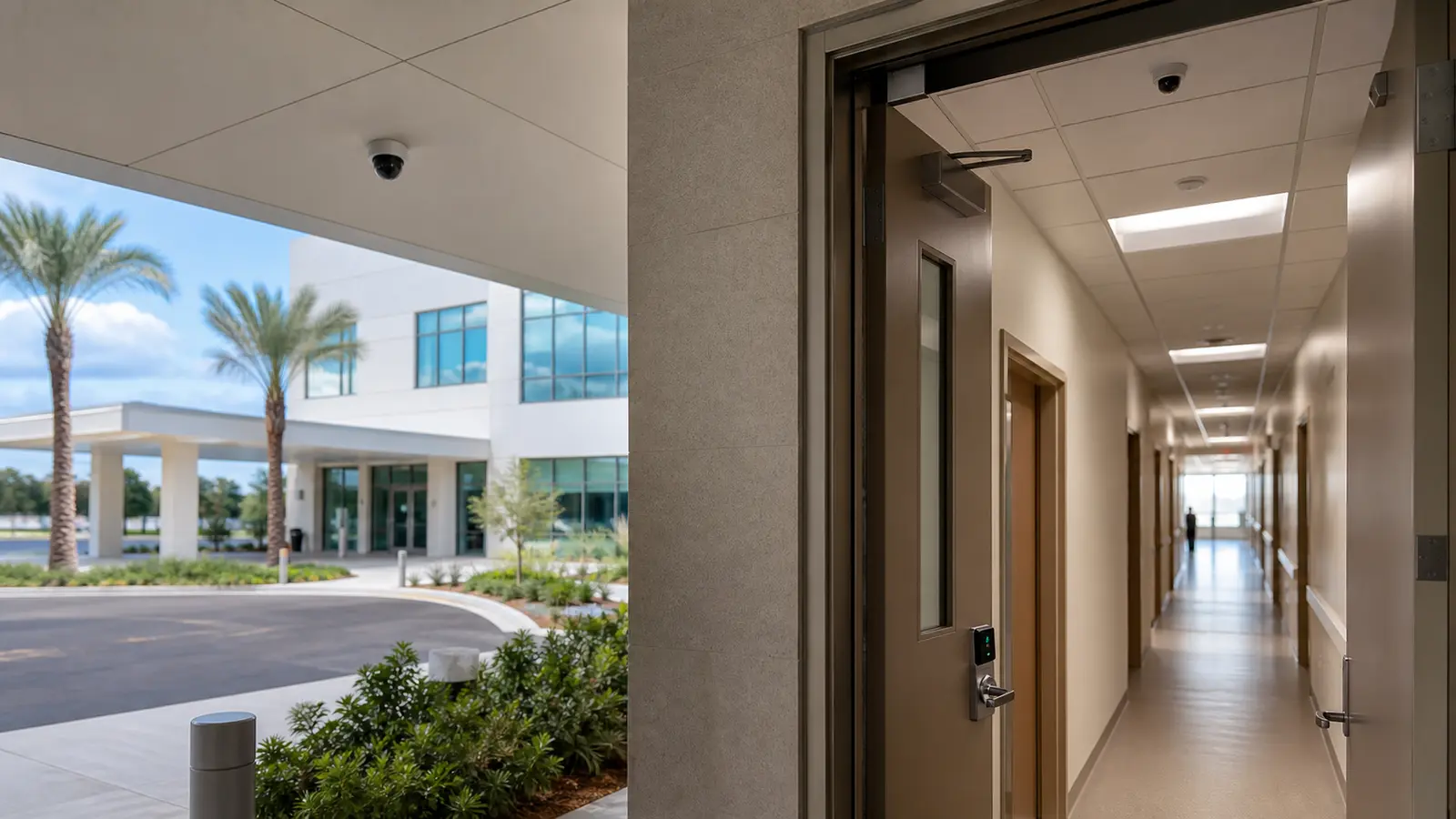
Realistic hospital entrance and controlled corridor with discreet professional camera coverage

PLANNING GUIDE

Hospital Camera Planning Priorities

Hospital Camera Coverage and Privacy Zones

Map the views that must answer real operational questions before selecting cameras.

Healthcare Camera Infrastructure and Uptime

Confirm power, pathway, network, recording and mounting needs before installation.

Identification Quality for Entrances and Public Areas

Match lens, lighting, resolution and distance to the detail needed after an event.

Healthcare Video Access Governance

Plan who can view, export, administer and receive alerts from the system.

Healthcare Camera Testing and Documentation

Verify camera names, views, recording, remote access and documentation before launch.

Lifecycle and Expansion Planning for Hospital Cameras

Leave the system organized so additional cameras, analytics or sites can be added cleanly.

Tampa healthcare properties often combine public entrances, parking, ambulance or service access, waiting rooms, clinical corridors, pharmacies, IT rooms and multi-tenant medical offices. Camera design should support those different zones without filming sensitive areas unnecessarily.

Healthcare campuses, outpatient centers and medical office buildings near Tampa often need different camera strategies for public entrances, patient drop-off areas, parking, controlled doors, IT rooms and privacy-sensitive support zones. A good design keeps public-area awareness, staff workflow and restricted-area review separate instead of treating the whole property as one camera map.

Healthcare Camera Coverage Detailed Planning Guide

Healthcare Camera Coverage: What This Guide Covers

For healthcare properties, this guidance helps facility, security and IT teams decide where cameras can support public-area awareness, staff-only access review, restricted-door activity and parking coverage while facility privacy, access and security policies remain separately governed.

Healthcare Camera Coverage: How the System Works

Healthcare Camera Coverage: Core Components

Hospital camera systems combine public-area overview cameras, targeted entrance views, parking coverage, controlled-door cameras, recorder or VMS storage, role-based viewing permissions and documented camera naming. Privacy-sensitive zones, clinical workflows, IT rooms and staff-only spaces require placement decisions that are different from ordinary commercial corridors.

Healthcare Camera Coverage: Operational Flow

The planning process starts with stakeholder review, then separates public, staff-only, restricted and privacy-sensitive areas. Camera views are matched to each zone, permissions are assigned by role, and the finished system is tested so authorized users know which cameras support entrances, parking, controlled doors and incident review.

Healthcare Camera Coverage: Planning Criteria

  • Coverage purposeDefines what the view must prove after an incident.
  • Distance and detailConnects lens, resolution and mounting to usable footage.
  • Lighting and scheduleConfirms daytime, nighttime and after-hours performance.
  • Power and pathwayDetermines whether wired, wireless, solar or temporary infrastructure is realistic.
  • User workflowClarifies who reviews video, exports clips and receives alerts.

Healthcare Camera Coverage: Commercial Examples

Example: A hospital outpatient entrance may need wide lobby awareness plus tighter views at controlled doors.

Example: A medical office building may need parking, elevator lobby and after-hours entry coverage without treating every tenant suite the same.

Example: A specialty clinic may need staff-only corridor and medication-room approach views coordinated with access permissions.

Healthcare Camera Coverage: Operational Recommendations

Recommendation: Separate public, staff-only and restricted clinical support zones before selecting camera locations.

Recommendation: Coordinate camera viewing permissions with facility leadership, IT and security procedures.

Healthcare Camera Coverage: Advantages and Limitations

Healthcare Camera Coverage: Advantages

Advantage: Supports incident review across entrances, parking, waiting areas and controlled corridors.

Advantage: Helps security teams see movement patterns around after-hours doors and service access.

Advantage: Can integrate with access control where doors, visitor policies and investigations intersect.

Healthcare Camera Coverage: Limitations

Limitation: Cameras should not be positioned as a substitute for clinical privacy policy, staff procedure or access control.

Limitation: Sensitive care areas may require exclusion, masking or different operational handling.

Limitation: Healthcare environments can have restricted ceiling access, infection-control work rules and after-hours scheduling constraints.

Healthcare Camera Coverage: Common Mistakes

Common mistake: placing cameras before defining privacy-sensitive zones

Common mistake: assuming lobby coverage also identifies every person at a distant door

Common mistake: giving too many users broad viewing permissions

Common mistake: ignoring IT approval for network, storage and remote access

Healthcare Camera Coverage: Infrastructure Dependencies

  • Cabling or communicationsConfirm pathway, distance, labeling and serviceability before installation.
  • PowerVerify PoE, local power, battery, solar or UPS requirements.
  • Network and securityCoordinate IP addressing, VLANs, firewall policy, remote access and user roles with IT.
  • StorageMatch retention, resolution, frame rate and recording behavior to the review goal.
  • Mounting and environmentConfirm height, weather exposure, tamper risk and maintenance access.

Healthcare Camera Coverage: Decision Checklist

[ ] Identify public entrances, waiting areas, parking, staff-only corridors and restricted support spaces.

[ ] Confirm which privacy-sensitive areas should be excluded, masked or handled with special review rules.

[ ] Decide which teams can view live video, search recordings or export clips.

[ ] Coordinate network, recorder, access-control and retention needs with facility and IT leadership.

[ ] Confirm camera names, door references and user guidance before turnover.

[ ] Confirm next action, schedule needs and responsible reviewers before project kickoff.

Healthcare Camera Coverage: When to Request a Site Review

Request a site review when a healthcare property needs cameras around public entrances, parking, controlled doors, IT rooms, medication-room approaches, outpatient areas or staff-only zones, especially when privacy-sensitive areas and user permissions must be mapped before installation.
PROCESS

Healthcare Camera Coverage Project Process

Define Camera Goals and Sensitive Areas with Facility Stakeholders

Meet with facility, security, operations and IT stakeholders to define camera goals and sensitive areas.

Map Public, Restricted, and Privacy-Sensitive Zones

Map public, staff-only, restricted and privacy-sensitive zones before selecting camera positions.

Design infrastructure, recording, access permissions and review workflow around those zones

Pathways, network capacity, recording, permissions, and review procedures are designed around the approved clinical and operational boundaries.

Test views, labels, user roles and documentation before the system is turned over

Turnover testing verifies views, labels, role-based access, time settings, recording, and the documentation required by authorized teams.

FAQ

Healthcare Camera Coverage FAQs

Can hospitals use security cameras in every area?

No. Camera placement should be reviewed against facility policy, privacy expectations and the operational purpose of each area. Public, staff-only and restricted zones should be planned differently.

What areas are commonly reviewed for hospital camera coverage?

Entrances, waiting areas, parking, service access, medication-room approaches, IT rooms, staff corridors and controlled doors are common planning areas, but each facility needs its own review.

Do cameras make a healthcare facility compliant with privacy or security regulations?

No. Cameras can support physical security and investigations, but regulatory compliance depends on facility policies, safeguards, access controls, audit practices and how information is handled.

Should hospital cameras integrate with access control?

Often yes. Door activity, badge events and video review can be more useful when the systems are coordinated, especially at restricted doors and after-hours access points.

How should user access be handled?

Viewing and export permissions should be limited to authorized roles, documented and reviewed periodically with facility leadership and IT.

What makes hospital camera footage useful?

Useful footage has the right view, lighting, retention, timestamp, user controls and documented camera location so staff can find and review events accurately.

Can cameras help with parking and exterior areas?

Yes. Exterior cameras can support review of parking, service drives, ambulance or delivery areas and after-hours activity when lighting and mounting are planned correctly.

What should be avoided in healthcare camera design?

Avoid filming sensitive care areas unnecessarily, using overly broad views, leaving cameras unlabeled or giving more users access than their roles require.

When should a hospital request a site review?

Request a site review before adding cameras to clinical support areas, restricted doors, parking, IT spaces or any location where privacy and operations intersect.

Who should be involved in planning?

Facility leadership, security, IT, operations and relevant department stakeholders should align on camera purpose, permissions, retention and response expectations.

NEXT STEP

Plan Camera Coverage for a Healthcare Property

If the property needs practical camera planning, site-specific infrastructure review or a clear path from question to implementation, request a commercial site survey.

Request a Site Survey