Commercial Security Camera Planning

Security Cameras With Artificial Intelligence

Security cameras with artificial intelligence use analytics to classify events, detect selected objects or behaviors and reduce unnecessary review, but they still require camera placement, lighting, calibration and human response rules. AI can improve alerting and search when the scene supports it; it should not be treated as automatic judgment or guaranteed detection.

For Tampa commercial properties, AI camera value depends on matching analytics to real operational questions such as after-hours motion, vehicle activity, perimeter crossing, loitering or people counting.

Commercial-First PlanningCamera decisions are matched to property operations, review goals and the people responsible for using the system.
Coverage Before EquipmentThe project starts with what each view must prove, not with a generic camera count.
Infrastructure-Aware DesignPower, cabling, network, storage and mounting constraints are reviewed before installation work begins.
Practical User WorkflowPermissions, remote viewing, alerts and review responsibilities are considered before turnover.
Documented System DeliveryFinal delivery includes testing, camera labeling, user guidance and system documentation so the team can operate and support the system.

AI VIDEO ANALYTICS

Using AI Video Analytics for Actionable Commercial Alerts

AI analytics work best when the camera view is intentionally designed for the event being measured. A camera aimed too wide, too high or into glare may still record video, but its analytic result may be less reliable than a narrower view with predictable motion paths.

Data Pro Communications helps commercial properties evaluate AI video analytics by matching camera placement, event rules, alert schedules and review workflow to the way the property actually operates.

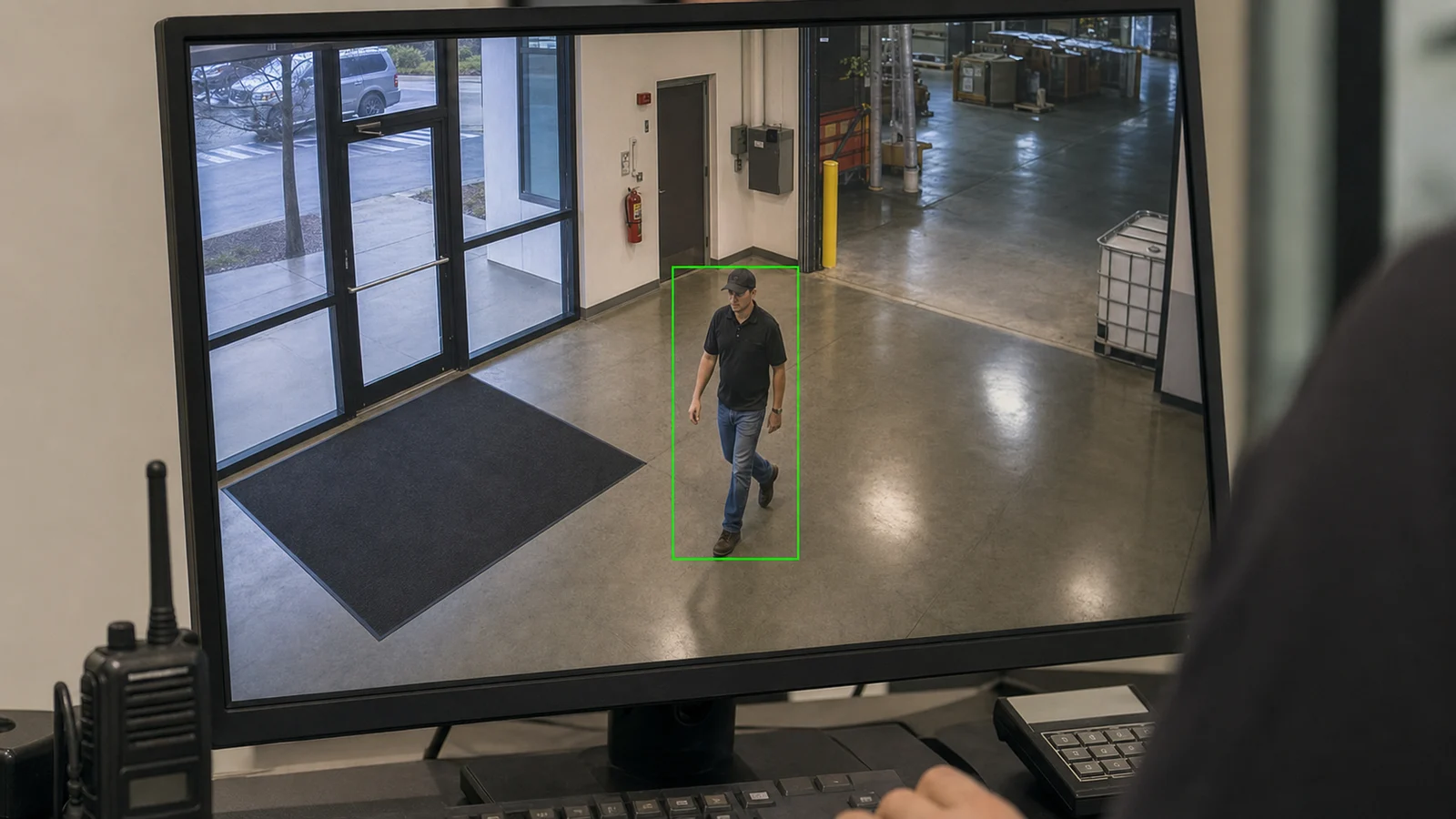
Commercial security monitor showing a practical person-detection event

PLANNING GUIDE

AI Camera Analytics Planning Factors

Scene Suitability for AI Video Analytics

Map the views that must answer real operational questions before selecting cameras.

VMS and Network Integration

Confirm power, pathway, network, recording and mounting needs before installation.

Lighting and Camera Position for Analytics

Match lens, lighting, resolution and distance to the detail needed after an event.

Analytics Rules and Alerts

Define event rules, schedules, exclusions and review responsibilities before relying on AI alerts.

Analytics Rule Validation and False-Alert Tuning

Verify camera names, views, recording, remote access and documentation before launch.

Analytics Lifecycle and Privacy Controls

Leave the system organized so additional cameras, analytics or sites can be added cleanly.

Commercial sites around Tampa may use AI analytics differently: a logistics yard may prioritize vehicle and perimeter events, an office may focus on after-hours entry, and a retail property may need exception alerts without turning every movement into an alarm.

Tampa logistics yards, warehouses, parking areas, office entrances and managed properties can use AI analytics in different ways. A yard may need vehicle and perimeter rules, an office may need after-hours entrance alerts, and a warehouse may need false-alert testing around docks, shadows, rain and moving equipment.

AI Video Analytics Detailed Planning Guide

AI Video Analytics: What This Guide Covers

This guidance helps property teams understand where AI analytics can support event filtering, after-hours monitoring and faster review, while still requiring camera placement, rule design, testing and human response procedures.

AI Video Analytics: How the System Works

AI-Enabled Security Cameras: Core Components

AI camera systems depend on analytic-capable cameras or software, a view designed for the target event, rule zones, schedules, object classifications, recording, alert delivery and a response workflow. The camera angle, lighting, motion paths and exclusions are part of the analytic design, not afterthoughts.

AI-Enabled Security Cameras: Operational Flow

AI analytics compare activity in a defined scene against configured rules, such as a person entering a zone after hours or a vehicle crossing a line. Alerts are useful only when the scene is stable, rules are tuned, false-alert sources are tested and authorized users know how to respond.

AI Video Analytics: Planning Criteria

  • Coverage purposeDefines what the view must prove after an incident.
  • Distance and detailConnects lens, resolution and mounting to usable footage.
  • Lighting and scheduleConfirms daytime, nighttime and after-hours performance.
  • Power and pathwayDetermines whether wired, wireless, solar or temporary infrastructure is realistic.
  • User workflowClarifies who reviews video, exports clips and receives alerts.

AI Video Analytics: Commercial Examples

Example: A warehouse can use person or vehicle classification to reduce nuisance motion alerts from rain or shadows.

Example: A parking area can use zone-based analytics to flag movement after closing while fixed cameras keep evidence views.

Example: An office building can use after-hours rules around entrances and restricted corridors rather than broad all-day alerting.

AI Video Analytics: Operational Recommendations

Recommendation: Define the event that should trigger review before selecting an AI camera or license.

Recommendation: Test analytics under day, night, rain, shadow and busy-scene conditions before relying on alerts.

AI Video Analytics: Advantages and Limitations

AI Video Analytics: Advantages

Advantage: Can reduce review time by filtering events by object, zone or schedule.

Advantage: Can support faster awareness when a defined event occurs after hours.

Advantage: Can help search recorded video by people, vehicles or motion categories when supported by the platform.

AI Video Analytics: Limitations

Limitation: Analytics can miss events or create false alerts when lighting, angle or scene complexity changes.

Limitation: AI results require policy, permissions and human review; they are not proof by themselves.

Limitation: Some features depend on camera model, recorder, VMS licensing and firmware support.

AI Video Analytics: Common Mistakes

Common mistake: buying AI features without defining alert rules

Common mistake: expecting one camera to classify everything in a wide scene

Common mistake: ignoring privacy and user-permission settings

Common mistake: failing to retest analytics after lighting or layout changes

AI Video Analytics: Infrastructure Dependencies

  • Cabling or communicationsConfirm pathway, distance, labeling and serviceability before installation.
  • PowerVerify PoE, local power, battery, solar or UPS requirements.
  • Network and securityCoordinate IP addressing, VLANs, firewall policy, remote access and user roles with IT.
  • StorageMatch retention, resolution, frame rate and recording behavior to the review goal.
  • Mounting and environmentConfirm height, weather exposure, tamper risk and maintenance access.

AI Video Analytics: Decision Checklist

[ ] Define the exact event the AI rule should detect, such as vehicle entry, person presence or line crossing.

[ ] Confirm the camera view is narrow enough and well lit enough for the analytic objective.

[ ] Set schedules, exclusion zones and notification rules before launch.

[ ] Test day, night, rain, shadow and busy-scene conditions for false alerts.

[ ] Document who receives alerts, who reviews video and how rules will be tuned over time.

[ ] Confirm next action, schedule needs and responsible reviewers before project kickoff.

AI Video Analytics: When to Request a Site Review

Request a site review when a property needs AI rules for logistics yards, parking lots, office entrances, warehouses, after-hours movement, perimeter alerts or false-alert reduction, especially when alert response and user responsibilities are not yet defined.
PROCESS

AI-Enabled Security Cameras Project Process

Define the analytic objective and the event that should trigger review

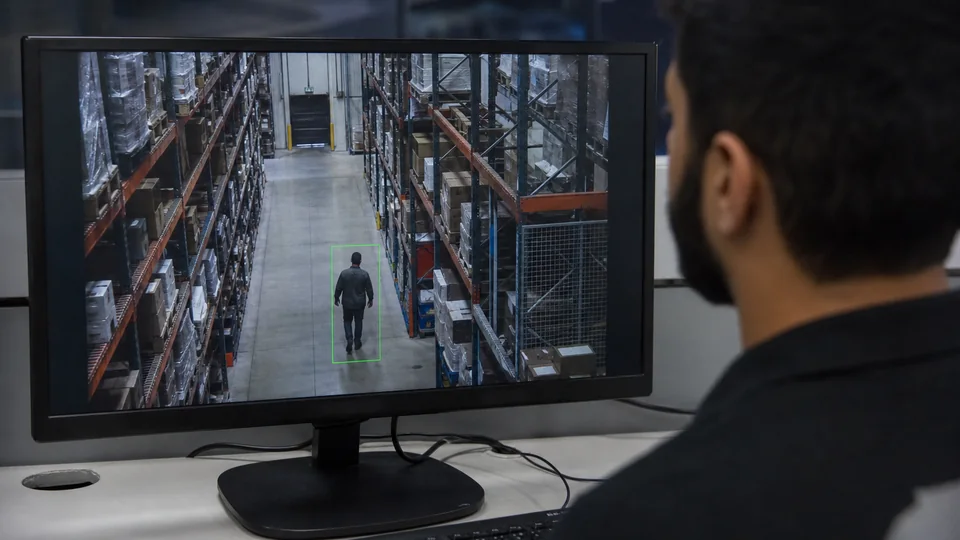
The team defines the event that deserves review, the desired response, and the acceptable rate of nuisance alerts before analytics are enabled.

Design the camera scene, detection zone, schedule and exclusion rules

Camera angle, target size, detection zone, schedule, lighting, and exclusion areas are designed around that specific event.

Configure and Test Analytics Rules in Real Conditions

Configure analytics and test the rule under normal, after-hours and changing-light conditions.

Tune alerts, document response workflow and review permissions with authorized users

Real activity is used to tune alerts, document the response workflow, and confirm which authorized users may review or change rules.

FAQ

AI-Enabled Security Cameras FAQs

What does AI do in a security camera system?

AI analytics can classify selected objects or events, such as people, vehicles, line crossing or after-hours activity, so users can review video more efficiently.

Are AI security cameras always accurate?

No. Accuracy depends on camera angle, lighting, distance, scene complexity, firmware, rules and testing. AI should be reviewed as decision support, not a guarantee.

What is the difference between motion detection and AI analytics?

Basic motion detection reacts to pixel changes, while AI analytics can classify objects or behaviors when the scene and platform support it.

Can AI cameras reduce false alerts?

They can reduce some nuisance alerts when rules are configured well, but poor placement, shadows, weather or busy scenes can still create false alerts.

Do AI cameras need special recorders or licenses?

Sometimes. Features may depend on camera model, NVR, VMS, cloud license, firmware and storage configuration.

Should AI analytics be used for access decisions?

AI video should not be treated as a standalone access-control decision. It can support awareness and review when paired with policy and authorized workflows.

What sites benefit from AI cameras?

Yards, parking areas, warehouses, offices, retail sites and managed properties can benefit when they have clear alert goals and testable scenes.

What should be tested before launch?

Test day and night conditions, weather, lighting changes, camera angles, exclusion zones, alert schedules and user notifications.

Can AI search recorded video?

Many platforms can help search by object or event type, but exact capability depends on the camera and software.

When should a site review be requested for AI-enabled security cameras?

Request one when the property needs after-hours alerts, perimeter rules, vehicle detection, people counting, remote review or a comparison of AI feature options.

NEXT STEP

Evaluate AI Video Analytics for Your Property

If the property needs practical camera planning, site-specific infrastructure review or a clear path from question to implementation, request a commercial site survey.

Request a Site Survey