Commercial Security Camera Planning

What Is Required for Commercial CCTV Installation?

Commercial CCTV installation requires defined coverage goals, approved camera locations, power and cabling paths, network or recorder capacity, mounting hardware, storage planning, user permissions, testing and documentation. The equipment list matters, but the site plan determines whether the system produces useful footage.

For Tampa businesses, CCTV requirements vary by property type, ceiling access, IT policy, lighting, cable pathways, exterior mounting and whether remote viewing or multi-site review is needed.

Commercial-First PlanningCamera decisions are matched to property operations, review goals and the people responsible for using the system.
Coverage Before EquipmentThe project starts with what each view must prove, not with a generic camera count.
Infrastructure-Aware DesignPower, cabling, network, storage and mounting constraints are reviewed before installation work begins.
Practical User WorkflowPermissions, remote viewing, alerts and review responsibilities are considered before turnover.
Documented System DeliveryFinal delivery includes testing, camera labeling, user guidance and system documentation so the team can operate and support the system.

CCTV INSTALLATION REQUIREMENTS

Infrastructure Required for a Reliable Commercial CCTV System

The practical requirement is not simply a camera count. A commercial CCTV plan should identify what each camera is responsible for, how video reaches the recorder, how long footage is retained, who can view it and how the system will be tested at turnover.

Data Pro Communications helps commercial properties define CCTV installation requirements around coverage goals, cable paths, PoE power, recorder location, storage retention, user access and documentation.

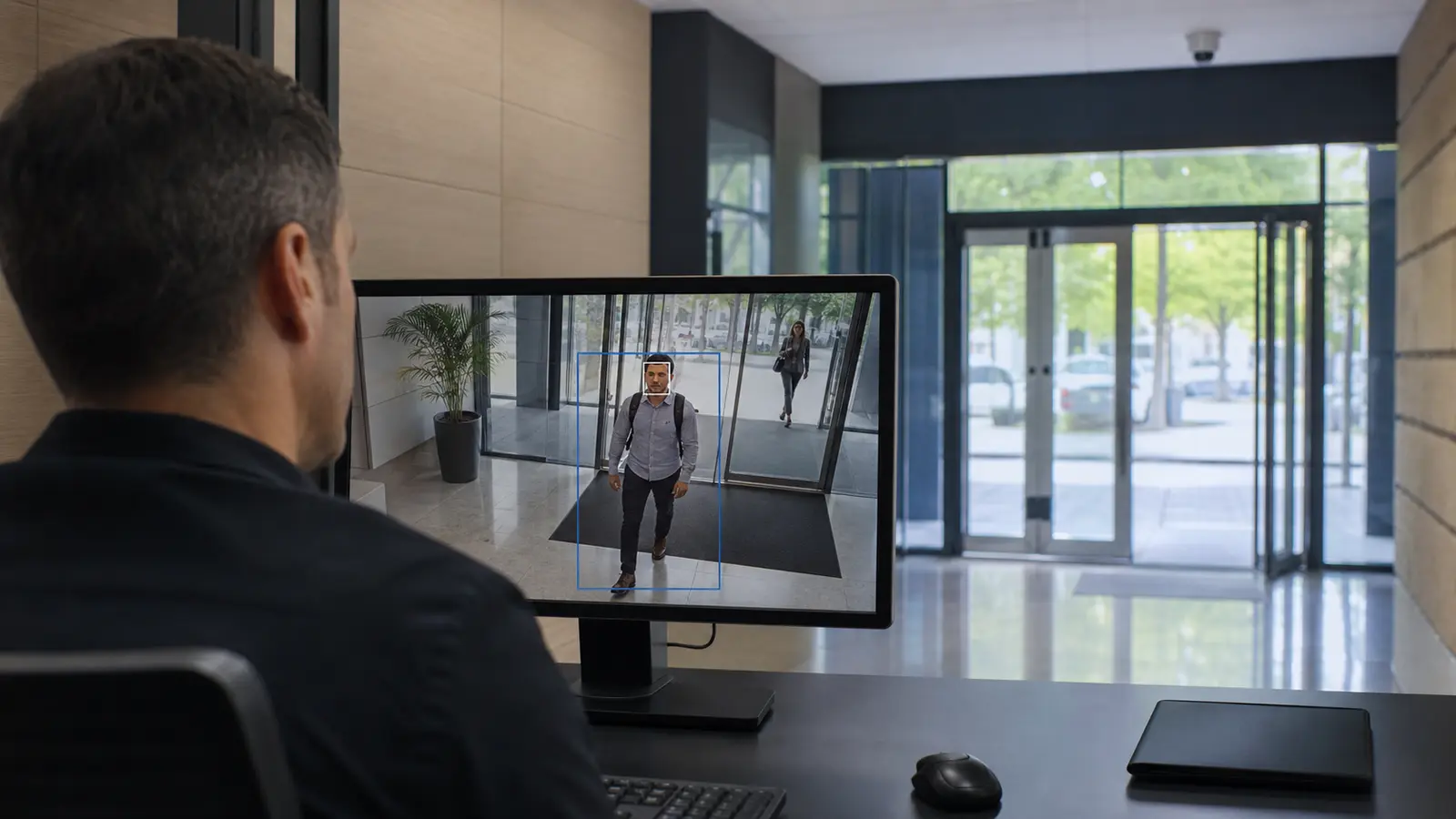
Commercial CCTV operator reviewing a live camera feed with person detection at a secured lobby entrance

PLANNING GUIDE

Commercial CCTV Installation Requirements

Camera Coverage and Placement Requirements

Map the views that must answer real operational questions before selecting cameras.

Mounting, Pathways, PoE and Network Requirements

Confirm power, pathway, network, recording and mounting needs before installation.

Resolution, Lens and Lighting Requirements

Match lens, lighting, resolution and distance to the detail needed after an event.

User Access and Documentation Requirements

Plan who can view, export, administer and receive alerts from the system.

CCTV Testing, Labeling and Handoff

Verify camera names, views, recording, remote access and documentation before launch.

Storage and Future Camera Capacity

Leave the system organized so additional cameras, analytics or sites can be added cleanly.

Commercial properties in Tampa often combine offices, storefronts, warehouses, parking lots, loading doors and managed tenant spaces. Each area can require a different lens, mounting method, cable path and retention expectation.

Tampa offices, storefronts, warehouses and managed properties often have different CCTV requirements in the same building. Ceiling access, cable pathways, PoE switch capacity, recorder placement, retention expectations, exterior mounting and IT policy should be reviewed before cameras are purchased or installed.

Commercial CCTV Installation Detailed Planning Guide

Commercial CCTV Installation: What This Guide Covers

This guidance helps property teams turn a general CCTV request into a practical installation scope with camera locations, cabling, power, recording, retention and user-access decisions clearly defined.

Commercial CCTV Installation: How the System Works

Commercial CCTV Installation Requirements: Core Components

A CCTV installation requires cameras, mounts, cable pathways, PoE switching or power, recorder or VMS storage, network settings, user accounts, retention configuration, labels and turnover documentation. Ceiling access, wall penetrations, exterior pathways and IT policy can shape the installation as much as the camera model.

Commercial CCTV Installation Requirements: Operational Flow

The process begins by defining what each camera must cover, then confirming how cable and power reach that location. The cameras connect to recording or management equipment, retention and user permissions are configured, and each view is tested against the original coverage goal.

Commercial CCTV Installation: Planning Criteria

  • Coverage purposeDefines what the view must prove after an incident.
  • Distance and detailConnects lens, resolution and mounting to usable footage.
  • Lighting and scheduleConfirms daytime, nighttime and after-hours performance.
  • Power and pathwayDetermines whether wired, wireless, solar or temporary infrastructure is realistic.
  • User workflowClarifies who reviews video, exports clips and receives alerts.

Commercial CCTV Installation: Commercial Examples

Example: A retail store may need entrance, register, stockroom and rear-door coverage with clear user permissions.

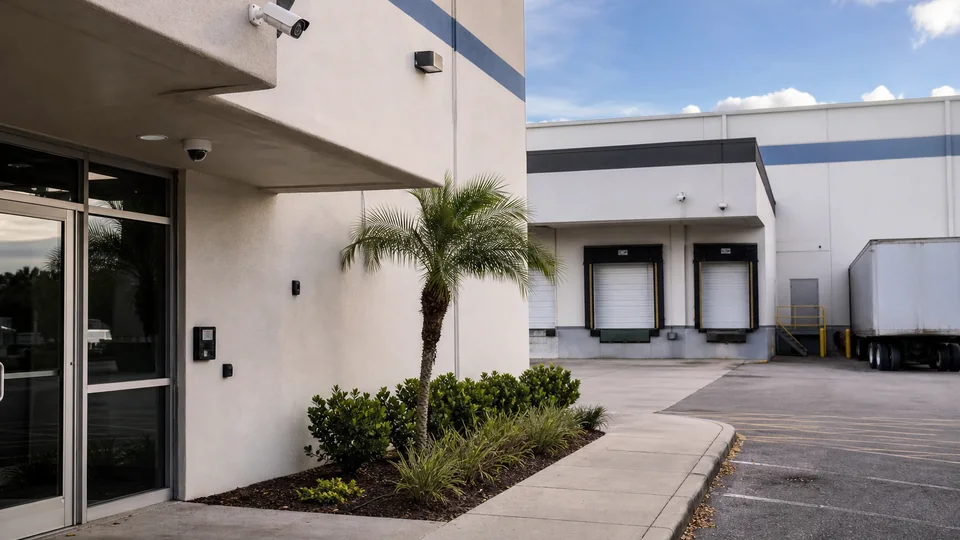
Example: A warehouse may need dock, aisle and yard views with PoE switches and labeled cable paths.

Example: A multi-tenant office may need common-area coverage coordinated with building management and IT.

Commercial CCTV Installation: Operational Recommendations

Recommendation: Walk the site before finalizing camera count, recorder capacity or cable routes.

Recommendation: Coordinate with IT early when cameras use the business network, remote access or VLANs.

Commercial CCTV Installation: Advantages and Limitations

Commercial CCTV Installation: Advantages

Advantage: A defined requirement list reduces change orders and blind spots.

Advantage: Proper cabling, power and storage planning improves reliability and serviceability.

Advantage: Documentation helps future support, user training and system expansion.

Commercial CCTV Installation: Limitations

Limitation: CCTV cannot solve poor lighting, blocked views or undefined response procedures by itself.

Limitation: Existing cable or recorders may need testing before reuse.

Limitation: Remote access depends on network policy, bandwidth and permissions.

Commercial CCTV Installation: Common Mistakes

Common mistake: buying cameras before mapping coverage goals

Common mistake: forgetting switch power budget or storage retention

Common mistake: placing cameras too high or too wide for identification

Common mistake: leaving users without documented access roles

Commercial CCTV Installation: Infrastructure Dependencies

  • Cabling or communicationsConfirm pathway, distance, labeling and serviceability before installation.
  • PowerVerify PoE, local power, battery, solar or UPS requirements.
  • Network and securityCoordinate IP addressing, VLANs, firewall policy, remote access and user roles with IT.
  • StorageMatch retention, resolution, frame rate and recording behavior to the review goal.
  • Mounting and environmentConfirm height, weather exposure, tamper risk and maintenance access.

Commercial CCTV Installation: Decision Checklist

[ ] Define each camera view by entrance, register, office, dock, aisle, parking or exterior need.

[ ] Confirm ceiling access, conduit, cable pathways, PoE budget and recorder location.

[ ] Set retention, resolution, frame rate and recording schedule expectations.

[ ] Coordinate IP addressing, remote access and user roles with IT policy.

[ ] Confirm labeling, camera names, view testing and user guidance before turnover.

[ ] Confirm next action, schedule needs and responsible reviewers before project kickoff.

Commercial CCTV Installation: When to Request a Site Review

Request a site review when a commercial CCTV project involves unknown cable paths, ceiling access, PoE capacity, recorder placement, retention goals, IT policy, remote viewing or mixed interior and exterior coverage.
PROCESS

Commercial CCTV Installation Requirements Project Process

Define the CCTV scope by camera purpose, area, detail level and review workflow

Every proposed camera is tied to an area, required detail, recording purpose, and the person responsible for reviewing footage.

Audit Cable Paths, PoE, Recorder Location, and Network Policy

Audit infrastructure, including ceiling access, cable routes, PoE capacity, recorder location and network policy.

Select cameras, mounts, storage, retention settings and user-access approach

Cameras, mounts, storage, retention, and account permissions are selected as a coordinated system around the approved coverage plan.

Install, aim, label, test recording and document the finished system

Installation closes with aiming, labels, recording tests, user-access checks, and an accurate record of the finished system.

FAQ

Commercial CCTV Installation Requirements FAQs

What is required for CCTV installation?

A commercial CCTV installation needs coverage goals, camera locations, cabling or network paths, power, recorder or cloud storage, user access, testing and documentation.

Do all CCTV systems need an NVR?

Many IP camera systems use an NVR, but some use cloud-managed storage, VMS servers or hybrid designs. The best choice depends on retention, bandwidth and workflow.

What cable is used for CCTV cameras?

Modern IP cameras commonly use Cat6 cabling with PoE. Some older or specialty systems may use coax or fiber depending on distance and equipment.

How much storage is required?

Storage depends on camera count, resolution, frame rate, compression, recording schedule and retention period.

Is remote viewing required?

Not always, but if remote viewing is needed it should be planned with user permissions, network security and bandwidth in mind.

Who should approve camera locations?

Operations, facilities, security and IT should review locations so coverage, privacy, cabling and access requirements are aligned.

Can existing cable be reused?

Sometimes. Existing cable should be identified, tested and confirmed suitable before it is included in the final design.

What happens after installation?

The system should be aimed, focused, labeled, tested, documented and reviewed with authorized users.

What is often missed in CCTV planning?

Power budget, network capacity, retention settings, exterior mounting, lighting and user access roles are often missed.

When should a site review be requested for a commercial CCTV installation?

Request a review before buying equipment when camera count, cable pathways, recorder size, remote access or coverage expectations are uncertain.

NEXT STEP

Plan a Commercial CCTV Installation

If the property needs practical camera planning, site-specific infrastructure review or a clear path from question to implementation, request a commercial site survey.

Request a Site Survey