Commercial Infrastructure and Camera Planning

Cat6 Cabling System Planning in Tampa

A Cat6 cabling system gives commercial cameras, workstations, access points and other low-voltage devices a structured pathway for data and PoE power when it is designed around distance, pathways, labeling, testing and future moves. The cable is only one part of the system; terminations, patch panels, racks and documentation decide how well it can be supported later.

Tampa offices, warehouses, medical suites, schools, retail spaces and managed properties often need Cat6 pathways that fit ceiling access, tenant improvements, equipment rooms, camera locations and IT standards. Planning should account for cable distance, bend radius, pathway access, PoE needs and clear labeling before walls or ceilings are closed.

Commercial-First PlanningPlanning is based on real property operations, IT workflow and support needs.
Infrastructure Before EquipmentPathways, power, network and recording requirements are reviewed before products are selected.
Clear User WorkflowViewing, administration, alerts and support responsibilities are planned before turnover.
Useful Evidence GoalsCoverage and infrastructure choices are tied to what the team needs to review later.
Documented System DeliveryFinal delivery includes testing, labeling, user guidance and system documentation so the team can operate and support the system.

CAT6 INFRASTRUCTURE

Cat6 Cabling Built for Reliable Commercial Networks

Cat6 infrastructure includes horizontal cable, patch panels, jacks, faceplates, racks, cable management, pathways, firestopping where required, PoE switches, testing records and labeling. Camera and Wi-Fi projects also need device locations and power budgets coordinated before cable is pulled.

Data Pro Communications helps Tampa-area commercial properties plan low-voltage, cabling and camera infrastructure with clear documentation, testing and practical support for the teams that use the system.

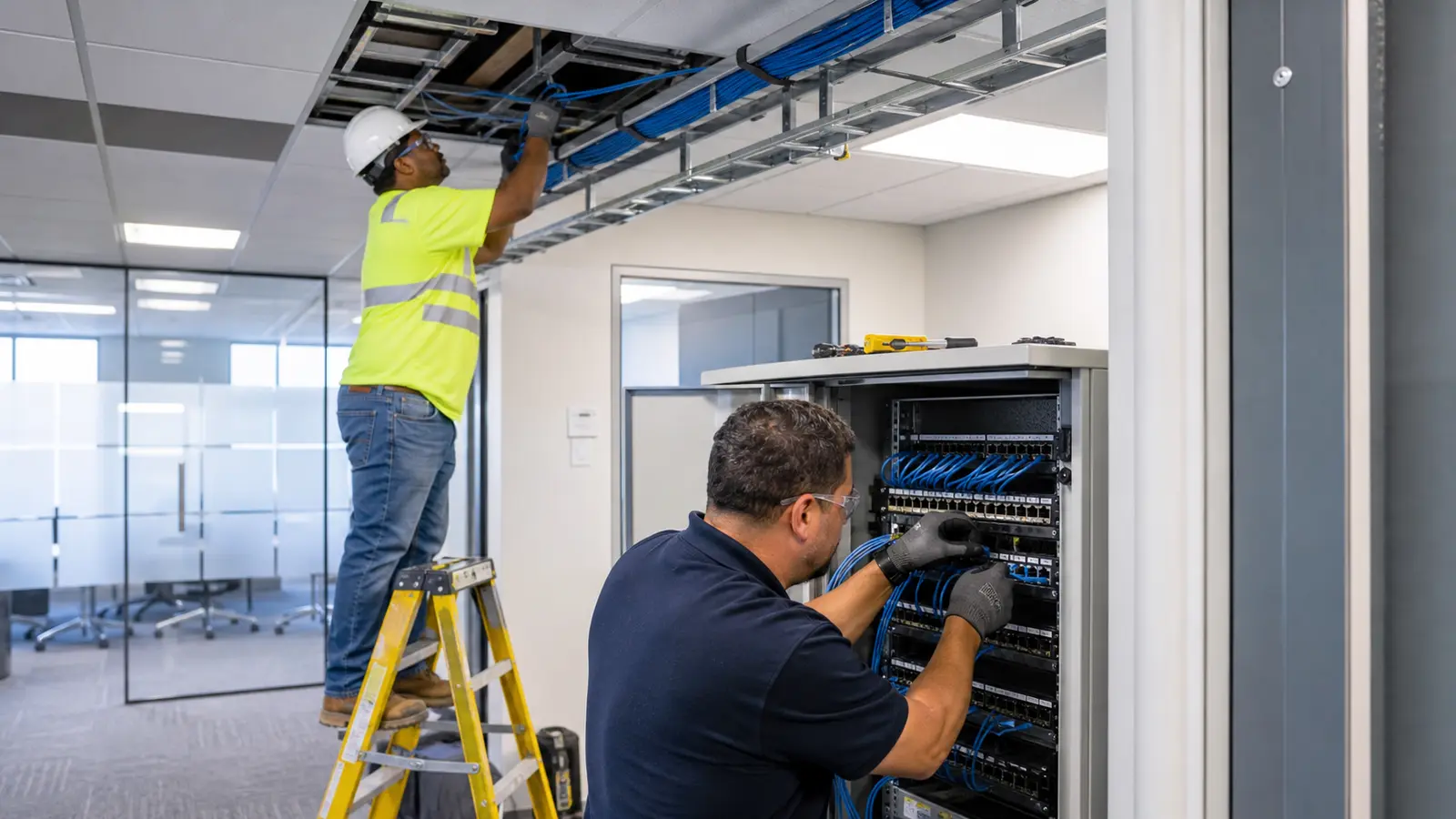
Technicians installing and testing organized Cat6 cabling above a commercial ceiling

PLANNING GUIDE

Cat6 Cabling Planning Priorities

Cat6 Horizontal Cabling

Plan copper horizontal runs from device locations to the rack within Cat6 distance and pathway limits.

PoE Device Support

Match cable routes, terminations and switch budgets to cameras, access points, phones and other PoE endpoints.

Jacks and Patch Panels

Coordinate faceplates, patch-panel layout, rack space and port naming before installation starts.

Bend Radius and Pathways

Review conduit, sleeves, ceiling access and cable supports so copper performance is not compromised.

Certification Testing

Require test results for each Cat6 run before acceptance and troubleshooting turnover.

Labeling and Port Maps

Deliver jack labels, patch-panel labels and an as-built map for future service and moves.

In Tampa tenant buildouts, medical suites, school facilities and warehouse offices, Cat6 decisions often come down to pathway access, the 100-meter copper channel limit, PoE device locations and how cleanly each jack lands at the patch panel. A useful plan documents cable routes, rack location, bend-radius limits, termination standards, labels and certification results before walls, ceilings or furniture make changes harder.

Cat6 Cabling Detailed Planning Guide

Cat6 Cabling: What This Guide Covers

Cat6 Cabling: How the System Works

A Cat6 system routes each device location back to an equipment room or network rack, where patching connects the field cable to switches or network equipment. The finished system is tested, labeled and documented so IT and facility teams can identify each run, support devices and plan future changes.

Cat6 Cabling: Core Components

Cat6 Cabling: Operational Flow

Operational Flow: device location survey -> horizontal Cat6 cable route planning -> pathway and bend-radius review -> pull and terminate cable at jacks and patch panels -> connect PoE or network switch ports -> certify each run -> label both ends and document the port map for support.

Cat6 Cabling: Planning Criteria

  • Confirm every camera, workstation, access point and device location.Each endpoint drives cable count, jack placement and patch-panel capacity, so the survey should record device type, wall or ceiling position and expected PoE load before materials are ordered.
  • Verify pathway access, distance, rack location and ceiling conditions.Pathway and distance documentation confirms whether each copper run can stay within Cat6 limits and affects conduit, sleeve, ladder tray, ceiling-access and alternate-route decisions.
  • Confirm PoE, switch ports, patch panels and rack space.PoE budget, switch-port count and rack capacity determine whether existing network equipment can support the added devices or whether new switching, patch panels or power planning are required.
  • Require test results and labels for every cable run.Certification results prove each termination meets performance expectations and influence acceptance, troubleshooting responsibility and whether a run must be reterminated before turnover.
  • Keep an as-built port map for IT and future service.An as-built port map ties jack labels to patch-panel ports and connected devices, which affects future moves, adds, changes and service dispatch accuracy.

Cat6 Cabling: Commercial Examples

Example: An office renovation may need new Cat6 drops for workstations, wireless access points and conference-room equipment.

Example: A warehouse camera project may need Cat6 routes from dock doors and aisles back to a secured network rack.

Example: A retail buildout may need labeled cabling for POS, cameras, access points and back-office devices.

Cat6 Cabling: Operational Recommendations

Recommendation: Confirm device locations and PoE requirements before pulling cable.

Recommendation: Label both ends of every run and keep a port map with the turnover package.

Cat6 Cabling: Advantages and Limitations

Cat6 Cabling: Advantages

Advantage: Supports high-speed data and many PoE devices when installed and tested correctly.

Advantage: Creates a cleaner support path for cameras, access points, phones and workstations.

Advantage: Can reduce troubleshooting time when labels, patch panels and documentation are complete.

Cat6 Cabling: Limitations

Limitation: Distance limits, pathway access and electrical interference can affect design.

Limitation: Poor terminations or missing labels can undermine an otherwise good cable pull.

Limitation: Cat6 does not replace fiber where distance, backbone capacity or building-to-building paths require it.

Cat6 Cabling: Common Mistakes

Common mistake: pulling cable before device locations are final

Common mistake: skipping certification testing

Common mistake: leaving patch panels unlabeled

Common mistake: ignoring PoE switch budgets and rack space

Cat6 Cabling: Infrastructure Dependencies

  • Copper pathways and distancesDocument each horizontal cable route, pathway condition and estimated length so the design can stay within Cat6 distance limits or flag locations that need a different approach.
  • Jacks, patch panels and terminationsConfirm faceplate locations, patch-panel capacity and termination standard so field labels, rack layout and turnover documentation match.
  • PoE switching and rack capacityMeasure PoE wattage needs, switch-port availability, UPS support and rack space because these items decide whether the cabling can support cameras, access points and other powered devices.
  • Testing, labeling and administrationRequire certification reports, jack labels and patch-panel records so IT and facilities can troubleshoot each copper run after occupancy.

Cat6 Cabling: Decision Checklist

[ ] Confirm every camera, workstation, access point and device location.

[ ] Verify pathway access, distance, rack location and ceiling conditions.

[ ] Confirm PoE, switch ports, patch panels and rack space.

[ ] Require test results and labels for every cable run.

[ ] Keep an as-built port map for IT and future service.

Cat6 Cabling: When to Request a Site Review

Request a site review when a property needs new camera, network, Wi-Fi, POS or AV cabling and the team needs to verify pathways, cable distances, rack location, PoE requirements, labeling and testing expectations.
PROCESS

Cat6 Cabling Project Process

Confirm device locations, network goals and PoE requirements

The survey records every endpoint, its data or PoE load, and the switch capacity required at the serving rack.

Review pathways, cable distances, rack space and installation constraints

Field measurements confirm pathway access, copper distance, rack space, ceiling conditions, and any installation constraints before cable is pulled.

Pull, terminate, label and test each Cat6 run

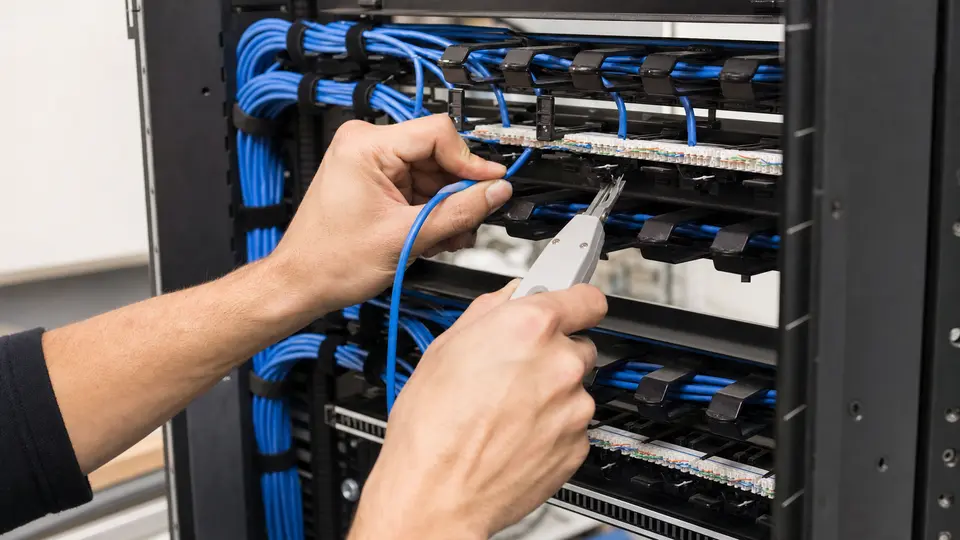
Each run is installed to the approved route, terminated at both ends, labeled consistently, and certification-tested for acceptance.

Deliver test results, labels, patching notes and as-built documentation

Turnover gives IT the test report, jack and patch-panel labels, patching notes, and an as-built port map for future service.

FAQ

Cat6 Cabling FAQs

How should a Tampa commercial property start planning a Cat6 cabling system?

Start by listing every workstation, camera, access point, phone, and other endpoint, then confirm its location and PoE needs. From there, document pathways, distance limits, rack capacity, terminations, labels, certification testing, and future moves.

What Cat6 distance limit matters for cameras, workstations and access points?

It is useful when the property needs the specific capability described in this article and the infrastructure, workflow and support requirements can be planned before installation.

How does PoE affect Cat6 cable planning?

PoE planning connects each powered endpoint to cable length, termination quality, switch-port capacity, and the switch’s total power budget. Camera and Wi-Fi locations should be approved before cable quantities and patch-panel capacity are finalized.

What should be checked before placing jacks and patch panels?

Avoid pulling cable before device locations are final, skipping certification testing, leaving patch panels unlabeled.

Why do bend radius and pathway conditions matter for Cat6?

Tight bends, inaccessible pathways, excessive distance, or unsupported cable can reduce performance and make future service difficult. A Tampa cabling survey should verify ceiling access, sleeves, supports, rack location, and the route to every endpoint before walls or ceilings close.

What certification testing should be documented after installation?

Document camera or cable labels, equipment locations, user roles, test results, support notes and any assumptions that affect future service.

Can existing Cat6 cabling be reused for new devices?

Sometimes. Existing cabling, mounts, network equipment or recording hardware should be inspected and tested before it is included in the final design.

Who should review Cat6 labels and port maps before turnover?

Facility, operations, IT, security and property-management stakeholders should align on goals, access, maintenance and review workflow.

What is the biggest Cat6 planning decision for a commercial buildout?

Confirm every camera, workstation, access point and device location.

When should a Tampa property request a Cat6 site review?

Request a Cat6 review when new cameras, network devices, Wi-Fi access points, POS equipment, or AV systems require uncertain pathways, distance verification, PoE planning, rack work, labeling, or certified test results.

NEXT STEP

Plan Cat6 Cabling for Your Property

Request a commercial site review when the property needs a practical plan, clear infrastructure assumptions and a documented path to implementation.

Request a Site Survey